What Are Lifecycle Stages in HubSpot?
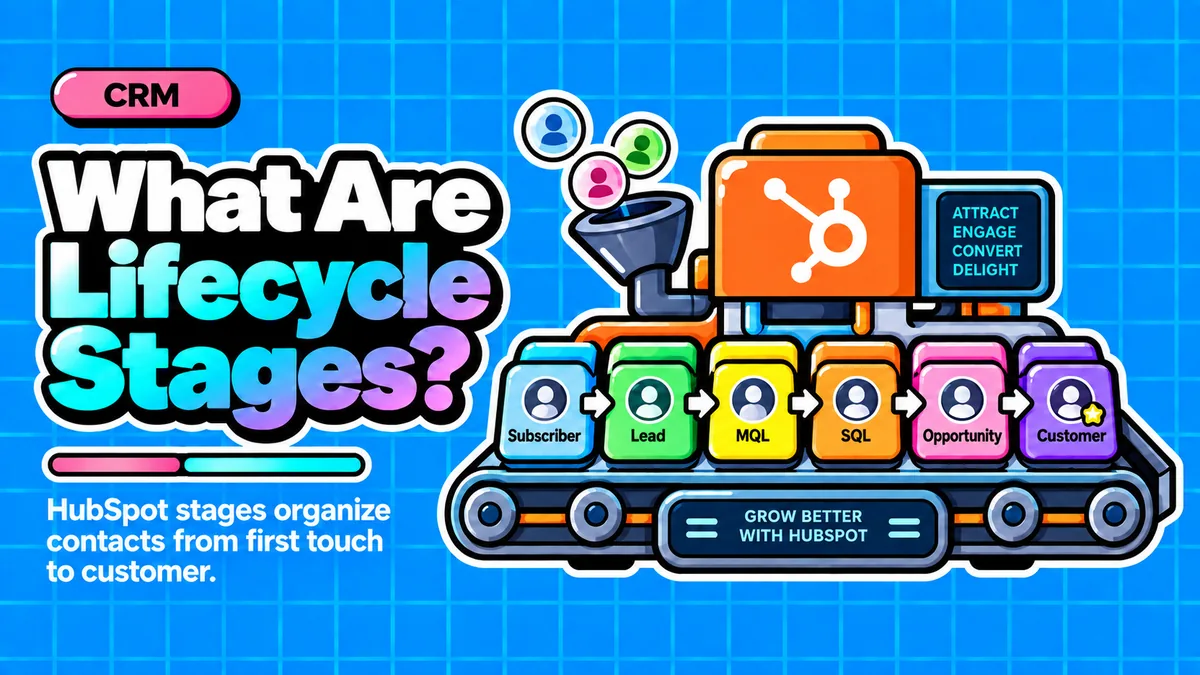
Direct answer: Lifecycle stage is a native HubSpot property on contacts and companies that shows where someone sits in the customer journey, from subscriber to evangelist. It matters because it is the shared field marketing, sales, and customer service all rely on, powering reporting, workflows, attribution, and forecasting, which makes it one of the most important CRM properties a startup can configure correctly.
- Lifecycle stage is a macro-level HubSpot property that should update only when a real relationship milestone occurs, not with every activity.
- HubSpot ships with eight default stages: Subscriber, Lead, MQL, SQL, Opportunity, Customer, Evangelist, and Other.
- Lifecycle stage is the common language across marketing, sales, and service, powering lists, workflows, reports, and attribution.
- Most failures are organizational, not technical: undefined stage criteria, manual updates, and no funnel reporting break the data.
- Automating stage changes through HubSpot workflows and syncing settings keeps the property reliable and protects revenue attribution.
Questions this article answers
- What is lifecycle stage in HubSpot?
- What are the eight default HubSpot lifecycle stages?
- How is lifecycle stage different from lead status?
- Why is lifecycle stage one of the most important properties in a CRM?
- What common mistakes do startups make with lifecycle stages?
- How should a startup set up lifecycle stages correctly?
- How does lifecycle stage accuracy affect revenue?
- Plus 6 FAQs answered below
What is lifecycle stage in HubSpot?
Lifecycle stage is a native HubSpot property on both contact and company records that tracks where someone stands in the customer journey, from first contact through purchase and retention.
Inside HubSpot, lifecycle stage is a native property that lives on both the contact and company object. As The Knowledge Academy explains, it tracks where a contact or company is in the customer journey, from first communication through purchase, retention, and referral. Unlike a manual note or tag, it is wired directly into HubSpot's reporting, workflow, and list tools.
This is meant to be a macro-level field, not a day-to-day activity log. According to Default, it is a macro property used by marketing, sales, and customer service, and it should only update when a substantive relationship milestone has been crossed. If every team member treats it as something to fiddle with casually, the property stops meaning anything.
What are the eight default HubSpot lifecycle stages?
HubSpot ships with eight default stages: Subscriber, Lead, MQL, SQL, Opportunity, Customer, Evangelist, and Other, each marking a distinct point in the buyer's journey.
- Subscriber: opted in to receive content but has shown no purchase intent, such as blog subscribers or newsletter signups.
- Lead: has expressed interest by completing a form or downloading a resource.
- Marketing Qualified Lead (MQL): meets a defined threshold of behavioral and fit criteria indicating readiness for sales outreach. There is no universal MQL definition, according to Blend B2B.
- Sales Qualified Lead (SQL): a sales rep has made contact and confirmed fit, per HubLead.
- Opportunity: aligns with the creation of an open deal in the sales pipeline.
- Customer: reached once a deal closes, applied automatically when a deal is marked Closed Won.
- Evangelist: an optional stage for customers who actively promote the brand; many small teams skip it, as noted by Proper Expression.
- Other: a catch-all for contacts who don't fit any stage, such as internal staff or partners.
None of this is mandatory. Businesses can create custom lifecycle stages if the defaults don't reflect their actual funnel, though too many custom stages can make reporting harder to manage consistently.
How is lifecycle stage different from lead status?
Lifecycle stage is a strategic, macro-level milestone tracked by every team, while lead status is a tactical, day-to-day property sales reps use only within the SQL stage.
Founders frequently confuse the two, but they answer different questions. Per Default, lifecycle stage tracks where a contact is in the overall customer journey and is used by marketing, sales, and customer service, updating only when a relationship milestone has been reached.
Lead status, by contrast, is an operational property used by sales reps to track activity within the SQL stage, such as attempted to contact, connected, or open deal. Lifecycle stage rarely changes and always moves forward; lead status shifts constantly as reps work a deal.
Macro-level, tracked by marketing, sales, and service. Moves forward only when a real relationship milestone is crossed.
Day-to-day property used by reps inside the SQL stage. Shifts constantly as a deal is worked.
Why is lifecycle stage one of the most important properties in a CRM?
Lifecycle stage is the connective tissue across marketing, sales, and service because it is recognized by every HubSpot tool, giving lean teams a single shared answer to where a contact stands in the revenue process.
Because the field is recognized across lists, workflows, reports, attribution, and forecasting, it becomes the common language that aligns every function touching revenue, according to Vaulted. Without that shared language, teams operate on gut feel: marketing nurtures contacts who are ready to buy, sales calls unqualified leads, and leadership reviews a pipeline report that no longer reflects reality.
For a resource-constrained founder, this single property can replace what would otherwise require multiple dashboards, spreadsheets, and status meetings. It also underpins attribution, one of the hardest problems for early-stage companies. As Cometly notes, lifecycle stages enable revenue attribution by linking marketing efforts to actual sales outcomes. When misconfigured, Octave HQ points out that contacts associated with closed deals not set to Customer lifecycle stage is one of the most common reasons an attribution report understates real revenue.
What common mistakes do startups make with lifecycle stages?
The most common failures are leaving default stage definitions vague, updating stages manually instead of automatically, and never building reporting to make the data useful.
According to Marcloud Consulting, lifecycle stages are one of the most powerful features in HubSpot and one of the most consistently broken. There are three main failure modes:
- Undefined criteria: leaving default stage names without defining what each means for the specific business, since what makes a contact an MQL varies by company.
- Manual updates: if reps or coordinators manually update lifecycle stages, the data becomes incomplete, inconsistent, and always behind, per Encharge.
- No reporting connection: teams set up stages but never build funnel conversion reports, meaning the data stays as metadata rather than intelligence.
A related pitfall is gaming the metric: reps sometimes move contacts between MQL and SQL to game dashboards, destroying data integrity, resulting in leads marked SQL with no deal attached.
How should a startup set up lifecycle stages correctly?
The fix is automation over manual discipline: use HubSpot workflows and native sync settings to move contacts between stages automatically, then track funnel conversion reporting monthly.
Clear definitions allow automation, handoff, and reporting to work seamlessly. Wherever possible, teams should use HubSpot workflows to set and update lifecycle stages, as recommended by Copy.ai. HubSpot's own sync settings can carry much of this load: enabling sync lifecycle stages triggers three core automations, a new contact moving to the default stage, a deal created moving linked contacts to Opportunity, and a deal marked Closed Won moving the contact to Customer.
HubSpot also makes stages one-directional by design. Per Knowledge Base HubSpot, HubSpot never auto-downgrades a stage, protecting attribution data, because stages capture the highest achievement in the buyer's journey.
Once automation is in place, track funnel conversion reporting: the percentage of Leads becoming MQLs, MQLs becoming SQLs, SQLs becoming Opportunities, and Opportunities becoming Customers. A useful benchmark from NBH is the SQL-to-Opportunity rate: a healthy B2B rate sits between 20 and 50 percent; below 20 percent usually means the SQL definition is too loose, while above 50 percent may indicate criteria are too strict.
How does lifecycle stage accuracy affect revenue?
When lifecycle stage data is clean, founders can trace which channels produce contacts that reach SQL and Customer, letting budget shift toward what actually closes rather than what merely generates volume.
For an early-stage company, every dollar of marketing and sales spend has to prove itself quickly, and lifecycle stage is the mechanism that lets founders see the proof. When the data is clean, budget gets reallocated toward what closes rather than what merely generates volume.
When it is broken, marketing keeps nurturing sales-ready people, sales chases unqualified leads, forecasts drift from reality, and leadership makes headcount and spend decisions on numbers nobody fully trusts, all of which erodes CAC efficiency and slows the path to predictable revenue founders need to raise their next round or hit runway targets.
Frequently asked questions
What is the difference between an MQL and an SQL in HubSpot?
An MQL (Marketing Qualified Lead) meets behavioral and fit criteria suggesting readiness for sales outreach, while an SQL (Sales Qualified Lead) has been contacted and evaluated one-on-one by a sales rep, who confirms fit based on triggers like a scheduled meeting or BANT criteria.
Does HubSpot automatically move contacts to the Customer lifecycle stage?
Yes, in practice HubSpot applies the Customer stage automatically once a deal linked to the contact is marked Closed Won, especially when sync lifecycle stage settings are enabled.
Can a lifecycle stage move backward in HubSpot?
No, HubSpot never auto-downgrades a lifecycle stage. Stages capture the highest achievement in the buyer's journey, and downgrading would disrupt conversion metrics, revenue attribution, and could misfire workflows.
Should every startup use all eight default lifecycle stages?
No, using every default stage is not mandatory. Businesses can skip stages like Evangelist if they don't add reporting value, or create custom stages if the defaults don't reflect their actual sales funnel, though adding too many custom stages can make reporting harder to manage.
What is a healthy SQL-to-Opportunity conversion rate?
A healthy B2B SQL-to-Opportunity rate sits between 20 and 50 percent. Below 20 percent usually signals the SQL definition is too loose, while above 50 percent may mean the criteria are too strict and filtering out good prospects.
Why do manual lifecycle stage updates cause problems?
Manual updates make lifecycle stage data incomplete, inconsistent, and always behind, since reps may forget to update records or move contacts between stages just to game dashboards, which destroys data integrity and breaks reporting accuracy.
Sources
- The Knowledge Academy: HubSpot Lifecycle Stages
- Blend B2B: HubSpot's Lifecycle Stages Explained
- HubLead: HubSpot Lifecycle Stages
- Pedowitz Group: Lifecycle Stages
- OnTheFuze: HubSpot Lifecycle Stages Explained
- Vaulted: HubSpot Lifecycle Stage Explained
- Proper Expression: HubSpot Lifecycle Stages
- Automation Strategists: HubSpot Lifecycle Stages
- HubSpot Knowledge Base: Use Lifecycle Stages
- Default: HubSpot Lead Status and Lifecycle Stages
- We Simplifi: HubSpot Lifecycle Stages Guide
- HuboExperts: HubSpot Lifecycle Stages Explained
- Project36: Lifecycle Stages Best Practices for Scaleups
- Copy.ai: HubSpot Workflows
- Media Junction: Lifecycle Stages Best Practices
- Arise GTM: AI Agents Automate HubSpot Lifecycle Stages
- Arise GTM: HubSpot Lifecycle Marketing
- Insidea: Guide to Using Lifecycle Stages in HubSpot
- Marcloud Consulting: HubSpot Lifecycle Stages
- Cometly: Master HubSpot Marketing Attribution Models
- Octave HQ: HubSpot Attribution Reporting Revenue Insights
- Pedowitz Group: HubSpot Marketing Attribution
- Insidea: How to Track Lifecycle Stage Metrics in HubSpot Campaigns
- NBH: HubSpot Lifecycle Stages for Pipeline Forecasting in 2026
- Encharge: Automating HubSpot Lifecycle Stages
Want lifecycle stages automated and reporting-ready in your own HubSpot?
Contact →